
Google Classroom for Guardians
Guardian email summaries help families stay informed about missing work, upcoming work, and recent class activity. When guardian preview is available for a student's class, families can also use a “View in Classroom” link to preview assigned Classwork information.
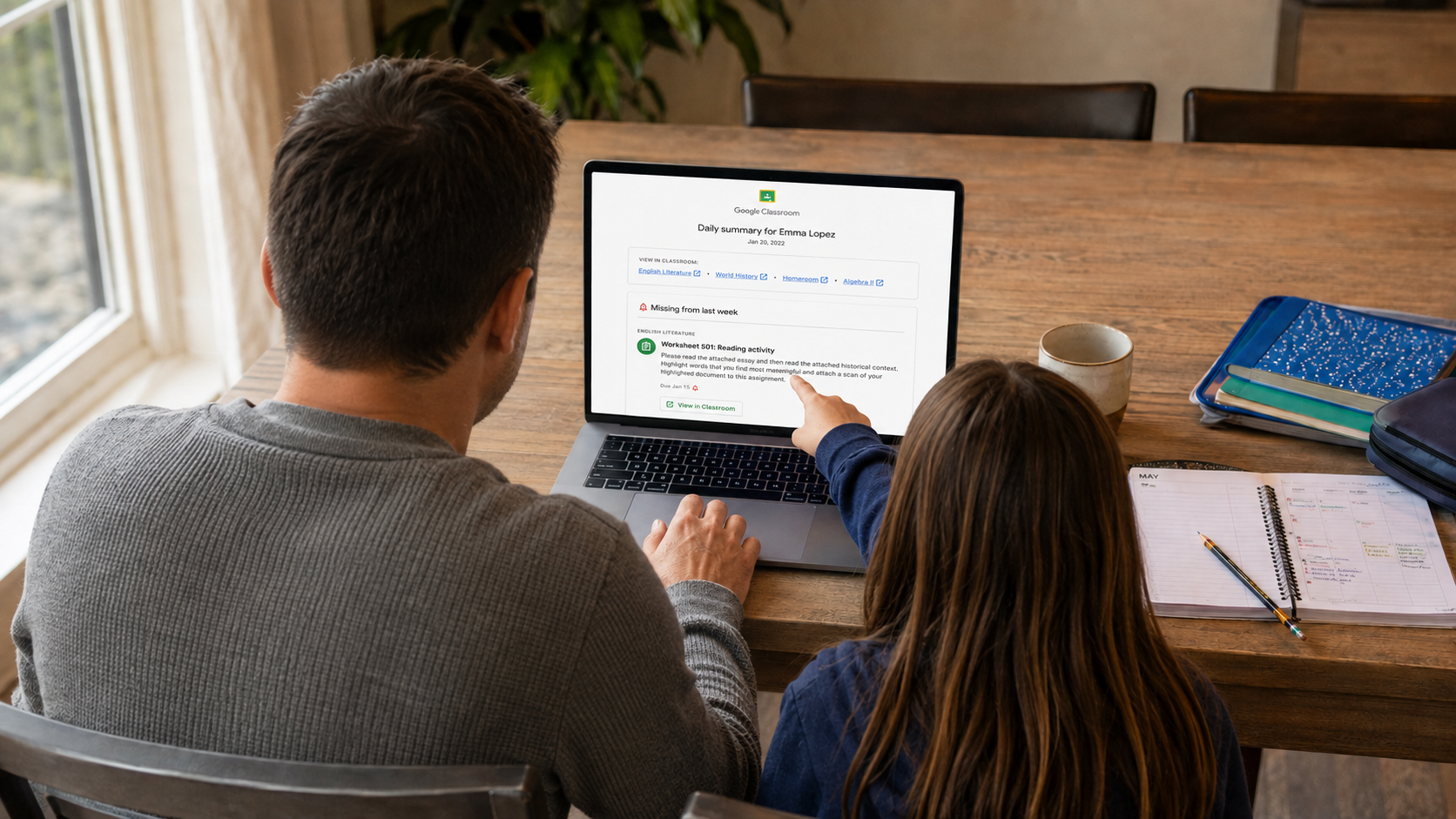
Email Summaries
Guardians can receive a daily or weekly overview of missing work, upcoming work, and recent class activity.
Classwork Preview
For classes with guardian preview available, “View in Classroom” links can show assignment titles, details, attachments when available, and due dates.
Grades Are Not Included
Guardian summaries and Classwork previews do not show student grades. Guardians can view current grade information in the M-DCPS Parent Portal. For questions about a specific assignment or grade, families can contact the student’s teacher.
What Guardians Can Receive
Google Classroom guardian features provide families with a summary of class activity and, when available, a preview of assigned Classwork.
Email Summary Information
- Missing work that had not been turned in when the summary was sent.
- Upcoming work due soon.
- Recently posted announcements, assignments, and questions.
- For eligible classes, links that allow guardians to preview assigned Classwork.
Classwork Preview Information
- Assignment titles
- Assignment details
- Attachments, when they are available for preview
- Due dates
See What Guardians Receive
These examples show the type of information guardians may see in an email summary and through a Classwork preview link.
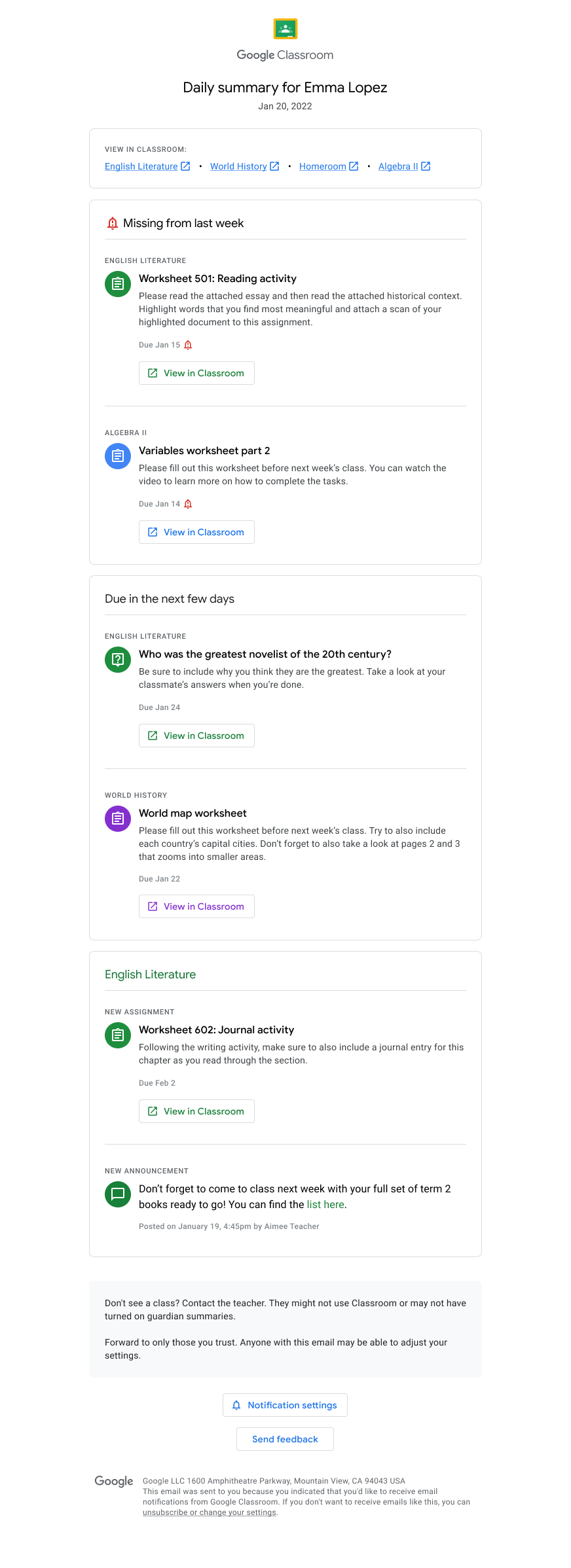
Daily Summary with Preview Links
A guardian summary organizes information from the student's participating Google Classroom classes into one email.
The example shows missing work, work due soon, recent class activity, and “View in Classroom” links that can take a guardian to the Classwork preview.
View Full-Size Example →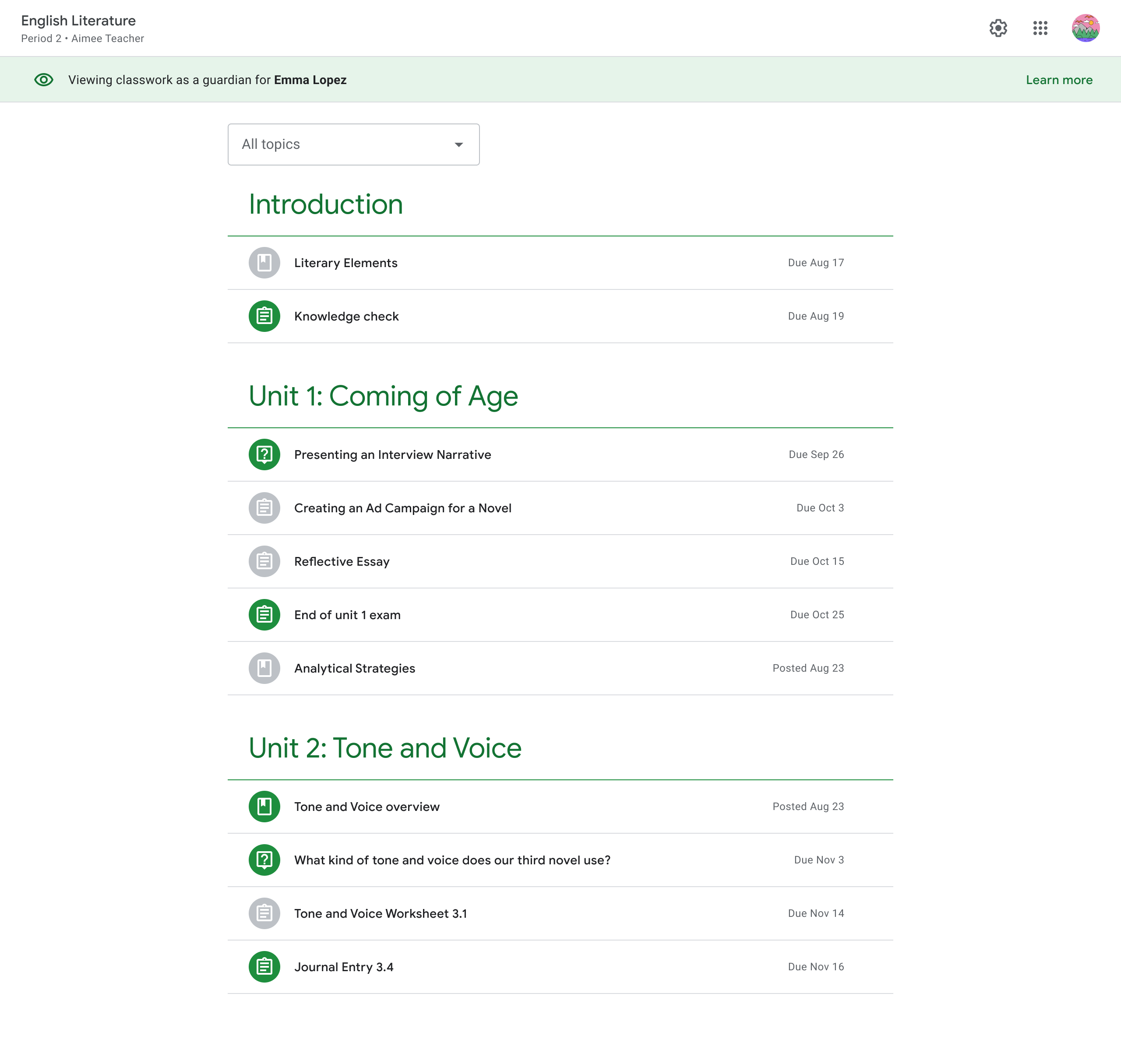
Guardian Preview of the Classwork Page
When guardian preview is available, a “View in Classroom” link allows a guardian to see assigned Classwork information. A teacher can also share a preview link for the class.
- See assignment titles and due dates.
- Review assignment details.
- Preview attachments when the attachment allows it.
- Stay informed about what is being assigned in the class.
How Guardians Get Email Summaries
To receive summaries, a guardian must accept an email invitation connected to the student's Google Classroom account.
Keep Your Email Current
Make sure the guardian email address in the district student information system is correct. Families who need help updating their information should contact the school.
Watch for the Invitation
Watch for the Google Classroom guardian invitation sent to the email address associated with the student.
Accept and Choose a Frequency
After accepting the invitation, guardians can choose whether to receive summaries daily or weekly and can change those settings later.
When Will I Receive a Summary?
Daily or Weekly
- Daily summaries are sent Monday through Friday and include work due today and tomorrow.
- Weekly summaries include work due during the upcoming week.
- Guardians can choose daily, weekly, or no summaries.
Summary Settings
Guardians can use the Settings link at the bottom of an email summary to choose daily, weekly, or no summaries. A Google Account is needed to view or change these settings.
Important to Know
Guardian email summaries and Classwork preview capabilities do not include grades. To view student grades, guardians can visit the M-DCPS Parent Portal, where current grade information is available. For questions about a specific assignment or grade, families can contact the student’s teacher.
Need More Help with Guardian Summaries?
Visit Google's guardian support page for help with invitations, email summary settings, and guardian preview information.